



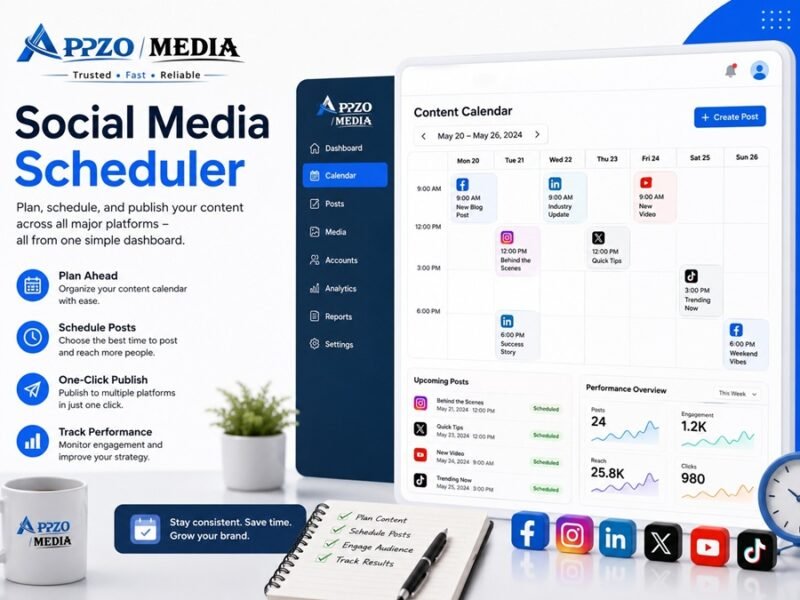
A social media scheduler is software that lets you plan, write, and automatically publish posts to Instagram, Facebook, LinkedIn, TikTok, and other platforms in advance — so you don’t have to log in and post manually every day. This guide compares the best tools, shows you how to set up a monthly workflow, and covers the mistakes that quietly kill engagement.
What Is a Social Media Scheduler?
In short: A social media scheduler is a tool that queues your posts ahead of time and publishes them automatically at the times you choose.
Instead of opening five different apps every morning, you sit down once a week (or once a month), draft your captions and visuals, pick your dates and times, and let the tool do the rest. Most schedulers connect to your Instagram, Facebook, LinkedIn, Pinterest, TikTok, X, and YouTube accounts through official APIs, so posting stays compliant with each platform’s rules.
Beyond just “posting later,” modern schedulers like Buffer, Hootsuite, and Metricool also include:
- A visual content calendar
- Basic analytics and reporting
- Team approval workflows
- AI caption assistance
- A shared media library
If you’re a solo creator, a scheduler saves hours every week. If you run an agency, it’s the backbone of how you manage multiple clients without chaos.
Why Every Business Needs One
In short: A scheduler turns social media from a daily fire drill into a predictable, plannable system — which is exactly what search engines and audiences reward with consistency.
Posting in the moment feels spontaneous, but it’s unreliable. You forget, you get busy, a launch day slips because nobody remembered to hit “publish.” A scheduler removes that risk entirely.
Here’s what changes once you schedule consistently:
- Consistency becomes automatic. Your audience sees content on a predictable rhythm, which platforms tend to reward with more reach.
- Time is reclaimed. Batching a week or month of content in one sitting is far faster than posting one at a time, every single day.
- Teams stop stepping on each other. With approval workflows, a writer, designer, and manager can all touch the same post without a chaotic group chat.
- You can post at the best time, every time — even 6 a.m. or midnight — without anyone staying up.
Professional Insight
In practice, many marketing teams don’t struggle with creating ideas—they struggle with publishing them consistently.
A scheduling tool helps establish a repeatable workflow where content is planned, reviewed, approved, and published on time.
This consistency becomes especially valuable when multiple people are responsible for content creation and approvals.
Benefits of Scheduling Social Media Posts
In short: The core benefits are time savings, consistency, better data, and calmer teamwork — not just “convenience.”
- Saves hours weekly by batching content creation instead of context-switching daily.
- Improves posting consistency, which platforms’ algorithms generally favor over sporadic bursts.
- Centralizes analytics so you can see what’s working across Instagram, Facebook, and LinkedIn from one dashboard instead of five.
- Reduces errors like duplicate posts, missed captions, or wrong hashtags, since content is reviewed before it goes live.
- Enables true team collaboration with drafts, comments, and approvals in one shared space.
- Frees you from timezone stress — schedule once, and it publishes correctly no matter where you are.
- Supports better content planning since you can see gaps in your calendar at a glance.
How Does a Social Media Scheduler Work?
In short: You connect your social accounts, create or upload content, assign a publish date and time, and the tool pushes it live automatically through each platform’s official API.
Here’s the technical flow in plain terms:
- You authorize the scheduler to access your social accounts (this uses each platform’s official API — Meta, LinkedIn, TikTok, etc.).
- You upload or write your post: caption, hashtags, image, video, or carousel.
- You choose a publish date and time, or let the tool suggest an optimal time based on past engagement.
- The post sits in a queue until that time arrives.
- At the scheduled moment, the tool automatically pushes it live — no manual click needed.
- After publishing, the tool pulls back performance data (likes, comments, shares, reach) into your analytics dashboard.
Some platforms, like Instagram, historically required a manual final tap on mobile for certain post types, but most scheduling tools today support fully automatic publishing across major networks.
Best Social Media Scheduling Tools
In short: Buffer and SocialPilot are best for budget-conscious solo users and small teams; Hootsuite and Sprout Social suit larger teams and agencies that need deep analytics; Later and Planable are strongest for visual planning and content approvals.
Expert Evaluation
To make this comparison more practical, we evaluated popular social media scheduling tools based on seven important factors:
- Ease of use
- Supported social platforms
- Team collaboration
- AI-powered features
- Analytics & reporting
- Automation capabilities
- Overall value for small businesses
Based on this comparison, Buffer and SocialPilot offer the best balance for freelancers and small businesses, while Sprout Social stands out for enterprise-level analytics and reporting. Businesses that rely heavily on visual content may find Later a better fit because of its visual planning interface.
Below is a practical comparison based on how each tool actually performs for real workflows, not just marketing pages.
Tool Comparison Table
| Tool | Best For | Free Plan | Starting Paid Price* | Standout Feature |
|---|---|---|---|---|
| Buffer | Solo creators, small teams | Yes (3 channels) | ~$5–6/channel/mo | Simple interface, per-channel pricing |
| Hootsuite | Agencies, enterprise teams | No (trial only) | ~$99/user/mo | Deep integrations, streams & listening |
| Later | Visual/Instagram-first brands | No (trial only) | ~$25/mo | Visual content calendar, media-first planning |
| Sprout Social | Mid-market & enterprise | No (trial only) | ~$199/seat/mo | Advanced analytics & social listening |
| SocialPilot | Agencies, budget teams | No (trial only) | ~$30/mo | Bulk scheduling, client management |
| Metricool | Analytics-focused creators/agencies | Yes (1 brand) | ~$18–25/mo | Combined web + social analytics |
| Agorapulse | Engagement-heavy teams | Limited | ~$79/user/mo | Unified social inbox |
| Planable | Content approval workflows | Yes (limited posts) | ~$33–39/workspace/mo | Visual approval & feedback flow |
| CoSchedule | Marketing teams needing a full calendar | Trial only | Custom pricing | Marketing calendar + project management |
| Zoho Social | Zoho ecosystem users, small teams | Yes (up to 6 channels) | ~$15/mo | Native Zoho CRM integration |
*Pricing changes often — always confirm current rates on the provider’s official pricing page before purchasing.
Quick Notes on Each Tool
- Buffer — clean, minimal interface with per-channel pricing; ideal if you want simplicity over depth.
- Hootsuite — powerful but priced per user; best when you genuinely need enterprise-grade streams and compliance tools.
- Later — built around a visual grid planner, especially strong for Instagram and Pinterest-heavy brands.
- Sprout Social — premium analytics and social listening; the cost only makes sense for larger, data-driven teams.
- SocialPilot — one of the most affordable options for agencies managing multiple client accounts.
- Metricool — combines social scheduling with website (Google Analytics-style) reporting in one dashboard.
- Agorapulse — the social inbox and engagement tools are the real differentiator here.
- Planable — feels like commenting on a Google Doc, but for social posts; great for client sign-off.
- CoSchedule — less a scheduler, more a full marketing calendar with task management built in.
- Zoho Social — a natural fit if you already use Zoho CRM or other Zoho apps.
Free vs Paid Scheduling Tools
In short: Free plans work for individuals posting to 1–3 accounts with basic needs; paid plans become necessary once you need team access, bulk scheduling, or reliable analytics history.
| Feature | Free Plans | Paid Plans |
|---|---|---|
| Connected accounts | Usually 1–3 | Often 5–50+ |
| Scheduled posts in queue | Limited (10–20) | Usually unlimited (fair-use capped) |
| Analytics history | 30 days or less | 6–12+ months |
| Team collaboration | Rare or absent | Standard on mid/upper tiers |
| Approval workflows | Not included | Included on team/agency tiers |
| Bulk/CSV scheduling | Not included | Included on higher tiers |
| Best for | Solo creators, testing a tool | Small businesses, agencies, teams |
If you’re posting to one or two accounts and don’t need a team, a free plan (Buffer or Metricool, for example) can genuinely last you a long time. Once you add a second person or a third platform, budgeting for a paid tier usually pays for itself in saved time.
How to Schedule Social Media Posts
In short: Pick a tool, connect your accounts, batch-create your content, assign publish times, and review before it goes live — here’s the exact step-by-step process.
- Choose a scheduler that fits your platforms, team size, and budget (see the comparison table above).
- Connect your social accounts through the tool’s official integration — this usually takes under two minutes per platform.
- Batch-create your content. Write captions, design graphics in Canva, and gather videos for the week or month ahead.
- Upload content to the scheduler and attach it to a draft post.
- Choose your publish date and time, using either your own posting schedule or the tool’s suggested “best time to post.”
- Preview the post exactly as it will appear on each platform — captions, image crop, and hashtags.
- Send for approval if you’re on a team (skip this step if you’re solo).
- Confirm and queue. The post now sits in your calendar until publish time.
- Review analytics after posting to see what resonated, and adjust your next batch accordingly.
Best Practice
Instead of scheduling an entire month’s content and forgetting about it, review your publishing calendar every week.
Leave room for seasonal campaigns, trending industry news, and unexpected announcements.
This balance between planned and timely content often leads to better audience engagement than relying only on pre-scheduled posts.
How AI Helps Schedule Social Media Posts
In short: AI tools speed up planning and drafting — but they assist the human, they don’t replace strategy or judgment.
AI has become a genuine time-saver in the scheduling workflow, mainly in three places:
- Idea generation. Tools like ChatGPT and Claude are useful for brainstorming content angles, generating caption drafts, or repurposing a blog post into five platform-specific captions.
- Caption polishing. Many schedulers (Buffer, SocialPilot, Metricool) include a built-in AI assistant for rewriting or shortening captions to fit a platform’s tone.
- Best-time predictions. AI-driven analytics inside tools like Hootsuite and Later suggest optimal posting windows based on your account’s historical engagement data.
A practical workflow: draft your raw ideas in ChatGPT or Claude, refine tone and structure yourself, then paste the final captions into your scheduler for queuing and approval. AI speeds up the first draft — the strategy and final review should still be yours.
How to Build a Social Media Content Calendar
In short: A content calendar maps out what you’re posting, where, and when — typically built a month at a time, then adjusted weekly.
Practical Monthly Workflow
- Week 1 (Planning): Review last month’s analytics. Set 3–5 content pillars (e.g., product tips, behind-the-scenes, customer stories).
- Week 1–2 (Batch creation): Write all captions and gather/create visuals for the month.
- Week 2 (Scheduling): Load everything into your scheduler and assign dates/times.
- Week 3 (Review): Have a second team member proofread and approve.
- Ongoing: Monitor comments and DMs daily, even though posts are automated.
- End of month: Pull analytics, note what worked, and feed that into next month’s plan.
Sample Content Calendar
| Day | Platform | Content Type | Status |
|---|---|---|---|
| Monday | Product carousel | Scheduled | |
| Tuesday | Industry tip post | Scheduled | |
| Wednesday | Customer testimonial | Draft | |
| Thursday | TikTok | Behind-the-scenes video | Scheduled |
| Friday | Infographic pin | Draft |
Best Posting Schedule
In short: There’s no single “best time” for every account — but general benchmarks give you a reasonable starting point until your own analytics tell you more.
Weekly Posting Schedule (General Benchmark)
| Platform | Recommended Frequency | Good Starting Times (Local Time) |
|---|---|---|
| 3–5 posts/week | 11 a.m.–1 p.m. or 7–9 p.m. | |
| 3–4 posts/week | 1–3 p.m. | |
| 2–4 posts/week | 8–10 a.m. (weekdays) | |
| TikTok | 4–7 posts/week | 6–10 p.m. |
| 5–10 pins/week | 8–11 p.m. | |
| YouTube | 1–2 videos/week | 2–4 p.m. |
Treat this table as a starting point, not a rule. Your own audience’s activity — visible in your scheduler’s analytics or Google Analytics for site traffic tied to social — should override generic benchmarks within a few weeks of consistent posting.
Common Mistakes to Avoid
In short: Most scheduling failures come from treating the tool as “set and forget” instead of a planning system that still needs oversight.
- Scheduling and forgetting entirely — not checking comments or DMs after posts go live.
- Using the same caption across every platform without adjusting tone or format.
- Ignoring platform-specific formats, like posting a square image where Instagram Stories needs vertical.
- Overloading the queue with low-effort content just to “stay consistent.”
- Not proofreading before publishing — typos and broken links go live automatically.
- Skipping analytics review, so you keep repeating what isn’t working.
- Posting at generic “best times” without testing your own audience’s actual activity.
- No approval step on team accounts, leading to off-brand posts going live.
- Relying only on AI-written captions without a human edit pass for tone and accuracy.
- Not backing up or exporting content calendars, risking lost work if an account is suspended.
- Forgetting hashtag or tagging limits specific to each platform.
- Scheduling too far in advance without leaving room for timely or trending content.
Expert Recommendation
Many businesses focus only on scheduling posts but overlook performance analysis.
A more effective workflow is to review engagement metrics every month, identify your best-performing content, and use those insights to improve future scheduling decisions.
Expert Tips for Better Scheduling
In short: Small workflow habits — batching, testing, and reviewing — matter more than which tool you choose.
- Batch content creation once a week or month, not daily.
- Use a shared content calendar so the whole team sees what’s planned.
- Test posting times for 4–6 weeks before locking in a “best time.”
- Repurpose one strong piece of content across three to five platforms with tone adjustments.
- Keep a swipe file of high-performing captions to reference later.
- Use AI (ChatGPT, Claude) for first drafts, but always edit for brand voice.
- Set a recurring calendar reminder to review analytics monthly.
- Build an approval workflow even as a solo creator — review your own posts a day later with fresh eyes.
- Use Canva or a similar tool to keep visual branding consistent across posts.
- Leave 10–15% of your calendar open for timely or reactive content.
- Cross-check captions for broken links before scheduling.
- Track which content pillar performs best and double down on it.
- Don’t schedule identical content simultaneously across all platforms — stagger timing slightly.
- Archive high-performing posts to reuse (with updates) in future quarters.
- Review platform algorithm updates quarterly, since “best practices” shift over time.
Manual vs AI Scheduling
In short: Manual scheduling gives full creative control but takes longer; AI-assisted scheduling speeds up drafting and timing decisions while still needing human review.
| Aspect | Manual Scheduling | AI-Assisted Scheduling |
|---|---|---|
| Speed | Slower, fully hands-on | Faster first drafts and suggestions |
| Creative control | Full control | High, but needs editing |
| Best-time decisions | Based on your own judgment | Data-driven suggestions |
| Risk of generic content | Low | Moderate — needs a human edit pass |
| Best for | Brand voice-sensitive content | High-volume content teams |
Best Tool by Business Type
In short: Match the tool to your business size and workflow, not just the feature list.
| Business Type | Recommended Tool | Why |
|---|---|---|
| Solo creator/freelancer | Buffer or Metricool | Generous free plans, simple setup |
| Small business (1–5 accounts) | SocialPilot or Zoho Social | Affordable, easy team access |
| Marketing agency | SocialPilot or Agorapulse | Client management, bulk scheduling |
| Ecommerce brand | Later | Visual planning, Instagram/Pinterest focus |
| Enterprise team | Sprout Social or Hootsuite | Deep analytics, compliance, integrations |
| Content-heavy marketing team | CoSchedule | Full calendar + project management |
Team Collaboration Workflow
In short: A clear approval chain — draft, review, approve, schedule — prevents off-brand posts and missed deadlines.
A simple, effective structure:
- Writer/creator drafts the post inside the scheduler.
- Reviewer leaves comments directly on the draft (supported natively in Planable, Agorapulse, and CoSchedule).
- Approver (usually a manager) gives final sign-off.
- Scheduler locks the post into the queue once approved.
- Analytics owner reviews performance weekly and reports back to the team.
Scheduling Checklist
- Caption written and proofread
- Visual sized correctly for the platform
- Hashtags added (platform-appropriate count)
- Link checked and working
- Publish date/time confirmed
- Approved by a second team member
- Added to the shared content calendar
ROI of Scheduling
In short: The return on a scheduler shows up as time saved, more consistent output, and (indirectly) better engagement from steady posting — not just the subscription price.
A rough way to think about it: if scheduling saves your team 5 hours a week compared to manual daily posting, and your time is worth $25/hour, that’s $125/week — or roughly $500+/month — in reclaimed time. Against a $25–$100/month tool cost, the math clearly favors scheduling for anyone posting regularly across more than one platform.
Beyond time, consistent posting (enabled by scheduling) is one of the more reliable levers for steady reach growth, since irregular posting tends to lose algorithmic momentum between bursts.
Practical Example
Imagine a marketing agency managing 12 client accounts.
Without a scheduling tool, the team spends around 2–3 hours every day publishing posts manually.
After switching to a scheduling platform with bulk publishing and approval workflows, posting time can drop significantly because content is prepared in batches instead of one post at a time.
The time saved can then be used for campaign optimization, analytics, and client communication instead of repetitive publishing tasks.
Frequently Asked Questions
What is the best free social media scheduler?
Buffer and Metricool both offer genuinely usable free plans — Buffer for up to 3 channels, Metricool for a single brand across multiple platforms.
Can I schedule Instagram posts without an app?
Yes. Tools like Buffer, Later, and Meta Business Suite let you schedule Instagram posts directly from a browser, without needing your phone.
How far in advance can I schedule social media posts?
Most tools allow scheduling weeks or months ahead, though some free plans cap the number of posts you can queue at once.
Is it bad to schedule all your posts at once?
Not inherently, but leaving some space unscheduled lets you react to trends or timely news without disrupting your whole calendar.
Do schedulers work for TikTok?
Yes, most major tools (Buffer, Later, SocialPilot, Metricool) now support direct TikTok scheduling and publishing.
What’s the difference between Buffer and Hootsuite?
Buffer is simpler and priced per channel, making it cheaper for small teams; Hootsuite is more feature-rich but priced per user, which suits larger organizations.
Can AI tools like ChatGPT or Claude schedule posts directly?
Not on their own — they’re best used for drafting captions and content ideas, which you then load into a dedicated scheduler for actual publishing.
Do I need a different scheduler for each platform?
No. Most modern schedulers support Instagram, Facebook, LinkedIn, Pinterest, TikTok, and YouTube from a single dashboard.
How much does a social media scheduler typically cost?
Free plans exist for individuals; paid plans generally range from about $15–$100/month for small teams, with enterprise tools like Sprout Social or Hootsuite going higher for larger teams.
Can scheduling tools hurt my engagement compared to posting live?
Generally no, as long as posts are still timely and relevant. The risk isn’t scheduling itself — it’s neglecting comments and DMs after the post goes live.
Author’s Take
If you’re just getting started, don’t choose a scheduling platform based only on the number of features.
Instead, select a tool that matches your workflow and budget. Many small businesses find that a simple scheduler with a content calendar and basic analytics is enough to stay consistent. As your team grows, you can move to platforms with approval workflows, collaboration features, and advanced reporting.
Final Thoughts
A social media scheduler isn’t just a convenience — it’s what turns APZO Media from a daily scramble into a repeatable system. Start with a free plan if you’re solo, move to a paid tool once your team or account count grows, and treat AI as a drafting assistant rather than a replacement for review. The tool matters less than the habit: batch your content, schedule with intention, and actually check in on engagement after it goes live.
Final Expert Advice
A social media scheduler should be viewed as a productivity tool rather than a replacement for strategy.
The most successful businesses combine consistent scheduling with audience research, performance analysis, and regular content updates.
Whether you’re managing one brand or multiple client accounts, building a repeatable workflow is usually more valuable than simply publishing more often.