


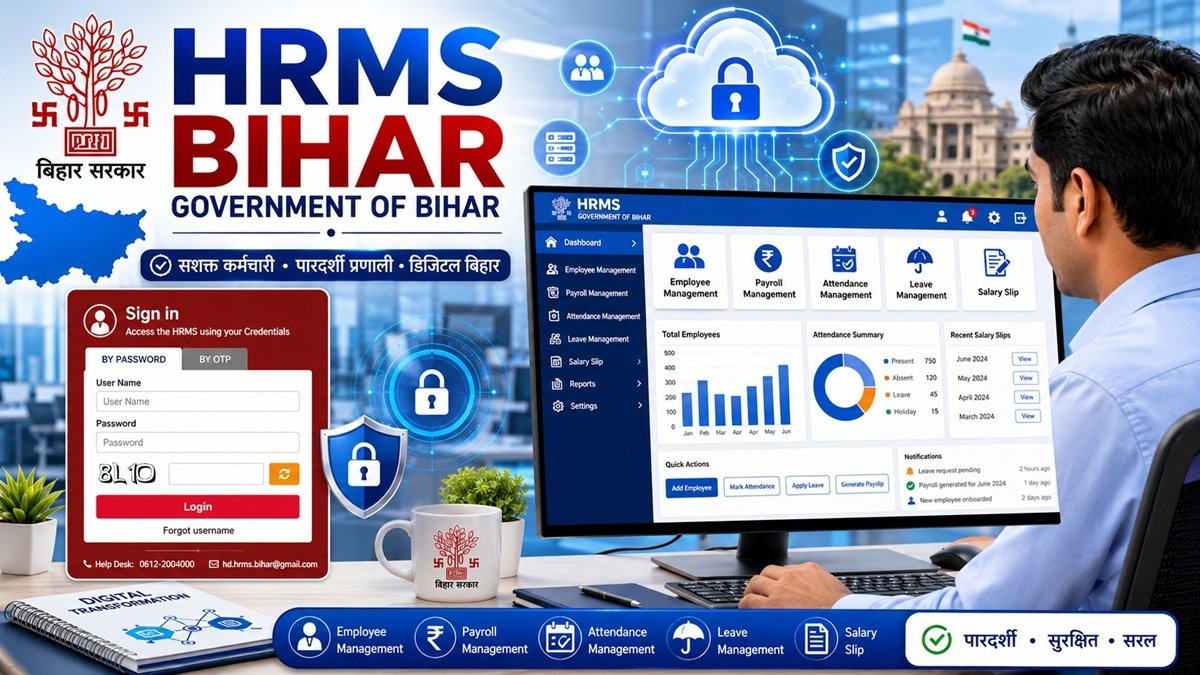
HRMS Bihar (hrms.bihar.gov.in) is the official Human Resource Management System of the Government of Bihar. It lets state government employees log in online to view salary slips, apply for leave, check service records, and update personal details — replacing manual, paper-based HR processes.
This guide covers login, salary slip download, password reset, and common login problems, based only on information available on the official portal.
What is HRMS Bihar?
HRMS Bihar is a centralised digital system that the Bihar government uses to manage employee records for its departments. Instead of maintaining paper service books and manual salary registers, employee data is stored and updated on one online platform.
Through HRMS, an employee’s salary processing, leave records, and service history are handled digitally. This reduces the need for employees to visit HR or treasury offices for routine paperwork, and it gives departments a consistent, centralised record for each employee.
HRMS Bihar Official Portal
The official portal is accessible at hrms.bihar.gov.in. There is also a mobile-optimised version of the login page at hrms-mobile.bihar.gov.in for employees signing in from a phone.
From the portal, employees can:
- Log in with a username and password, or with OTP
- View and download monthly salary slips
- Check leave balance and apply for leave
- View service book and personal profile details
- Recover a forgotten username or password
Because several unofficial websites use similar names and layouts, always type the URL directly or bookmark the official page rather than clicking links from search ads or messages.
Expert tip: Government portals sometimes go offline briefly for maintenance — for example, around financial year-end while accounts are reconciled. If the site doesn’t load, this is a common reason; try again after some time before assuming there’s a problem with your login.
Who Can Use HRMS Bihar?
HRMS Bihar is meant for employees of Bihar government departments, including:
- State government officers and staff
- Teachers employed under the state education system
- Newly appointed government employees
- Contractual employees added to a department’s HRMS records
Self-registration is not available. An employee’s HRMS account is created by their department’s HR cell or Drawing and Disbursing Officer (DDO) once the employee’s service details are entered into the system. Login credentials (a User ID and a temporary password) are then issued to the employee, typically communicated through the registered mobile number or department channel.
If you are newly appointed and don’t have credentials yet, the correct step is to check with your department’s HR or establishment section rather than trying to register directly on the portal.
Features of HRMS Bihar
| Feature | What It Does |
|---|---|
| Salary Slip | View and download monthly pay details |
| Leave Management | Apply for leave and check leave status/balance |
| Employee Profile | View and update personal information on file |
| Service Book | View digitised service history and records |
| Notifications | Receive updates related to your HR requests |
| Personal Information | Review details such as contact information held by the department |
How to Login to HRMS Bihar
The official login page offers two sign-in methods: By Password and By OTP.
Password Login
- Go to hrms.bihar.gov.in
- Select the By Password tab on the sign-in page
- Enter your registered User Name
- Enter your Password
- Click Login
OTP Login
- Go to hrms.bihar.gov.in
- Select the By OTP tab
- Enter your User Name
- Click Send OTP
- Enter the OTP received on your registered mobile number
- Click Login
| Login Method | Best For |
|---|---|
| By Password | Employees who already have a set password |
| By OTP | First-time users, or anyone who prefers not to enter a password |
Common mistake: Entering your name instead of your assigned User Name. Your HRMS User Name is issued by your department and is usually different from how you’d normally write your name — check your appointment or credential communication if you’re unsure.
How to Download HRMS Bihar Salary Slip
| Step | Action |
|---|---|
| 1 | Log in to hrms.bihar.gov.in using your User Name and Password (or OTP) |
| 2 | Go to the salary/payroll section on your dashboard |
| 3 | Select the relevant financial year and month |
| 4 | View the salary slip on screen |
| 5 | Use the download or print option to save it as a PDF |
Practical advice: Keep downloaded salary slips organised by month and year in a personal folder. They’re commonly needed for loan applications, income tax filing, and other verification purposes, and having them ready saves time later.
How to Reset Password
If you’ve forgotten your password, use the Forgot Password option on the login page. This process is OTP-based: you enter your User Name, and an OTP is sent to your registered mobile number, which you then use to verify your identity and set a new password.
There is also a Forgot Username option for employees who don’t remember their User Name; this also relies on OTP verification through the registered mobile number.
Security best practice: After resetting your password, choose one that isn’t easily guessable (avoid birth dates or simple sequences), and don’t share it with colleagues, even for help with a login issue.
If your registered mobile number has changed and you can no longer receive OTPs, self-service recovery won’t work — you’ll need to contact your department’s HR or DDO to update your mobile number in HRMS records.
HRMS Bihar Mobile Access
HRMS Bihar can be accessed from a mobile browser through the mobile-optimised login page. An official HRMS Bihar mobile app is also listed on the Google Play Store, published by the Bihar Prashasnik Sudhar Mission Society, offering access to services such as salary slips, service records, and leave-related requests from a smartphone.
If you use a mobile browser instead of the app, switching to “Desktop Site” mode can sometimes help if a page doesn’t display correctly.
Common Login Problems and Solutions
| Problem | Likely Cause | Solution |
|---|---|---|
| Invalid credentials | Wrong User Name or Password entered | Double-check details; use Forgot Password/Username if needed |
| Password not accepted | Password expired or mistyped | Reset password using the OTP-based recovery option |
| OTP not received | Network delay or outdated mobile number | Wait a few minutes; if it persists, ask your department to verify your registered mobile number |
| Portal not loading | Site maintenance or network issue | Try again after some time; confirm you’re on the official hrms.bihar.gov.in URL |
| Server busy / not responding | High traffic on the portal, especially near salary processing dates | Retry after a short wait, ideally outside peak hours |
Troubleshooting guidance: Most login issues are resolved by carefully re-checking your credentials and trying the OTP-based options before assuming there’s an account problem. If the issue continues after trying these steps, contact your department’s HR or IT support, since some issues require action on the backend, such as re-linking a mobile number.
Benefits of HRMS Bihar
- Reduces the need for physical visits to HR or treasury offices for routine requests
- Gives employees direct access to their own salary and service records
- Speeds up processes like leave applications by moving them online
- Creates a consistent digital record across departments
Security Tips
- Always access HRMS Bihar by typing hrms.bihar.gov.in directly, not through links shared over SMS or social media
- Never share your User Name, password, or OTP with anyone, including colleagues offering to “help”
- Log out of the portal after use, especially on shared or public computers
- Update your registered mobile number promptly if it changes, since it’s used for OTP-based login and password recovery
- Avoid saving your HRMS password in a browser on a shared device
Frequently Asked Questions
1. What is HRMS Bihar?
HRMS Bihar is the Government of Bihar’s official Human Resource Management System, used by state employees to manage salary, leave, and service records online.
2. What is the official HRMS Bihar login website?
The official portal is hrms.bihar.gov.in.
3. How do I login to HRMS Bihar?
You can log in using your User Name and Password, or using your User Name with an OTP sent to your registered mobile number.
4. How do I download my HRMS Bihar salary slip?
Log in, go to the payroll/salary section, select the financial year and month, and download or print the slip as a PDF.
5. Who can use HRMS Bihar?
Bihar government employees, including teachers, officers, and contractual staff whose records have been added by their department.
6. Can I self-register on HRMS Bihar?
No. Registration and credential issuance are handled by your department’s HR cell or DDO, not by the employee directly.
7. How do I reset my HRMS Bihar password?
Use the Forgot Password option on the login page and verify your identity through an OTP sent to your registered mobile number.
8. What if I forget my HRMS Bihar User Name?
Use the Forgot Username option on the login page, which also uses OTP verification.
9. Can I access HRMS Bihar on mobile?
Yes, through the mobile-optimised login page or the official HRMS Bihar app on the Google Play Store.
10. Why is HRMS Bihar not loading?
This is usually due to temporary site maintenance or high traffic. Try again after some time and confirm you’re using the correct official URL.
11. What should I do if I don’t receive an OTP?
Wait a few minutes in case of network delay. If the OTP still doesn’t arrive, your registered mobile number may need to be updated by your department.
Author’s Advice
Before downloading important documents such as salary slips or service records, always verify that you’re logged into the official HRMS Bihar portal. Save copies in a secure location and avoid sharing login credentials or OTPs with anyone. If you face repeated access issues, contact your department instead of relying on unofficial websites or third-party assistance.
Final Thoughts
HRMS Bihar centralises salary, leave, and service record management for Bihar government employees on a single official platform. Logging in correctly, keeping your registered mobile number updated, and knowing the password recovery steps will help you avoid most common issues. For anything the portal itself can’t resolve — like registration or a mobile number update — your department’s HR office or DDO remains the right point of contact.