



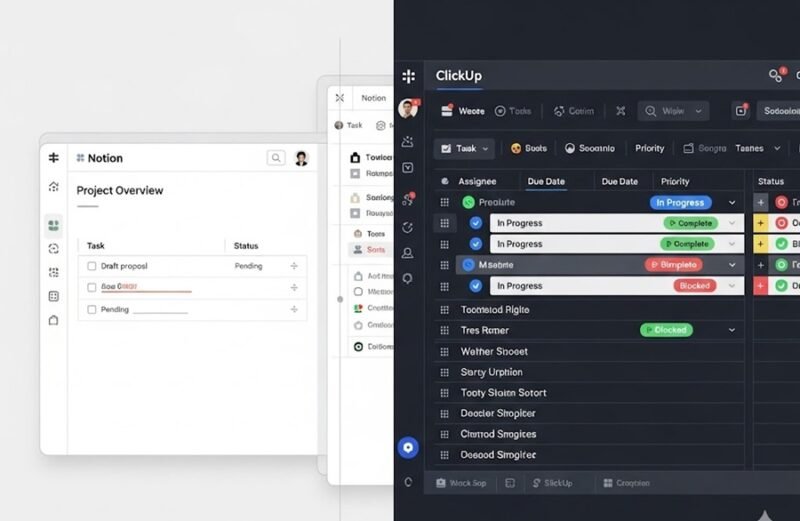
Choosing between Notion vs ClickUp is a common dilemma for startups, agencies, and remote teams. Both tools promise better productivity—but they are built for different types of workflows.
This deep comparison breaks down features, pricing approach, ease of use, strengths, weaknesses, and real business use cases so you can decide which tool actually fits your needs.
Quick Summary: Notion vs ClickUp
| Factor | Notion | ClickUp |
|---|---|---|
| Core Strength | Flexibility & documentation | Task & project management |
| Learning Curve | Medium–High | Medium |
| Best For | Wikis, notes, custom systems | Structured projects & teams |
| Customization | Extremely high | High (but opinionated) |
| All-in-one Replacement | Docs + tasks + databases | Tasks + goals + timelines |
1️⃣ Core Philosophy (Big Difference)
Notion’s Approach
Notion is a blank canvas. You design your own system using pages, blocks, and databases.
One tool for docs, tasks, wikis, and light CRM
Highly flexible but needs setup
Works like a “business operating system”
Best for teams that want custom workflows.
ClickUp’s Approach
ClickUp is a structured project management platform.
Tasks, lists, sprints, goals ready out-of-the-box
Strong deadlines, dependencies, and reporting
Less freedom, more structure
Best for teams that want instant productivity.
2️⃣ Project & Task Management
Notion
Task databases with custom views
Kanban, calendar, table, timeline views
Manual setup required
Strength: Total flexibility
Weakness: No advanced PM features by default
ClickUp
Advanced task hierarchy (tasks, subtasks, checklists)
Dependencies, time tracking, sprints
Built for project-heavy teams
Strength: Powerful PM features
Weakness: Can feel complex
3️⃣ Documentation & Knowledge Base
Notion (Winner 🏆)
Clean writing experience
Internal wikis, SOPs, onboarding docs
Deep linking and databases
Ideal for company knowledge management.
ClickUp
Docs feature exists
Functional but not best-in-class
Docs often feel secondary to tasks
Better for task notes than full wikis.
4️⃣ Collaboration & Team Use
Notion
Page-level permissions
Comments and mentions
Best for async collaboration
ClickUp
Real-time task collaboration
Workload views, goals, reporting
Better for active team coordination
5️⃣ Ease of Use & Learning Curve
| Aspect | Notion | ClickUp |
|---|---|---|
| First-time Setup | Harder | Easier |
| Daily Usage | Smooth | Busy but powerful |
| Templates | Excellent | Good |
Verdict:
Notion = learn once, customize forever
ClickUp = productive fast, but heavier UI
6️⃣ Pricing & Value (High-Level)
Exact prices change—always check official pages.
Notion: Generous free plan, paid plans scale well for teams
ClickUp: Free plan available, paid plans justified for PM-heavy teams
If replacing multiple tools → Notion saves money
If managing deadlines & teams → ClickUp earns its cost
7️⃣ Pros & Cons
Notion – Pros & Cons
Pros
Extremely flexible
Excellent docs & databases
Replaces multiple tools
Cons
Setup time
Limited native PM depth
Offline limitations
ClickUp – Pros & Cons
Pros
Strong task & project features
Built-in reporting & goals
Ideal for teams with deadlines
Cons
Interface can feel overwhelming
Docs not as strong as Notion
8️⃣ Which Tool Should YOU Choose?
Choose Notion if:
You want one workspace for docs + tasks
You value flexibility over rigidity
You’re a startup, agency, or solo business
You build custom workflows
Choose ClickUp if:
Your work is project/deadline-heavy
You manage multiple team members
You need task dependencies & tracking
You want minimal setup
FAQs: Notion vs ClickUp
Can Notion replace ClickUp?
Partially. For simple projects—yes. For advanced PM—no.
Can ClickUp replace Notion?
For tasks—yes. For deep documentation—no.
Which is better for small businesses?
Notion for flexibility, ClickUp for execution-focused teams.
Final Verdict (Blunt Truth)
There is no universal winner.
Notion wins for flexibility, documentation, and custom systems
ClickUp wins for project execution, deadlines, and team tracking
Many businesses actually use both:
Notion for knowledge + planning, ClickUp for execution.