



Choosing the right plan is critical before rolling out a productivity tool across your workflow. In this guide, we break down Notion pricing in plain English—what you get for free, what paid plans unlock, and which plan actually makes sense for individuals, teams, and businesses.
If you’re new to the platform, it’s important to understand what Notion is and how it works before choosing a paid plan.
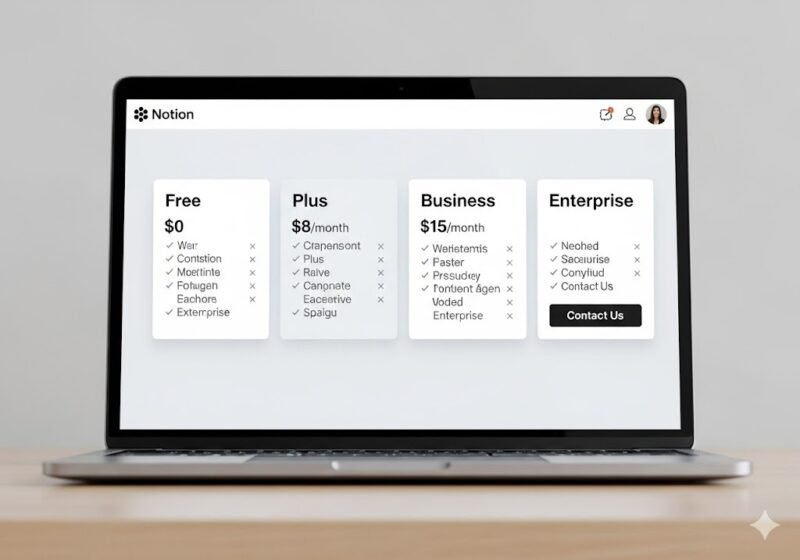
Notion Pricing Overview (Quick Snapshot)
Notion offers four main plans:
Free – best for individuals and light personal use
Plus – for power users and small teams
Business – for growing teams that need control and collaboration
Enterprise – for large organizations with advanced security needs
Prices and features can change over time; always verify on Notion’s official pricing page before purchasing.
Notion Free Plan: What Do You Get?
The Free plan is surprisingly capable and perfect if you’re just starting.
Key Features
Unlimited pages and blocks (for personal use)
Basic task management and notes
Access to templates
Sync across devices
Invite guests (limited collaboration)
Limitations
File upload size limits
Fewer collaboration and permission controls
Not ideal for managing large teams
Best for:
Students, freelancers, solo creators, and anyone testing Notion for personal productivity.
Notion Plus Plan: Is It Worth It?
The Plus plan is designed for users who’ve outgrown the Free version.
What’s Added
Higher file upload limits
More guests and collaboration options
Version history (useful if you make frequent changes)
Better support for shared workspaces
When Plus Makes Sense
You collaborate with 2–10 people
You store files inside Notion
You want recovery options via version history
Verdict:
If you use Notion daily and collaborate lightly, Plus is a practical upgrade.
Notion Business Plan: For Teams That Need Control
The Business plan targets startups and teams that rely on Notion as a core system.
Key Business Features
Advanced permissions and access control
Team-wide collaboration tools
Admin and workspace management
Enhanced security and compliance features
Better performance for larger databases
Who Should Choose Business?
Marketing teams
Product teams
Remote or hybrid companies
Businesses using Notion as an internal wiki or project hub
Verdict:
If Notion runs your operations, Business is the most balanced plan.
Notion Enterprise Plan: When Do You Need It?
The Enterprise plan is for large organizations with strict requirements.
Enterprise-Level Benefits
Advanced security (SSO, SCIM)
Dedicated account management
Custom contracts and billing
Priority support and onboarding
Compliance-focused controls
Best for:
Large companies, regulated industries, and enterprises with security-first policies.
Notion Free vs Paid: Side-by-Side Comparison
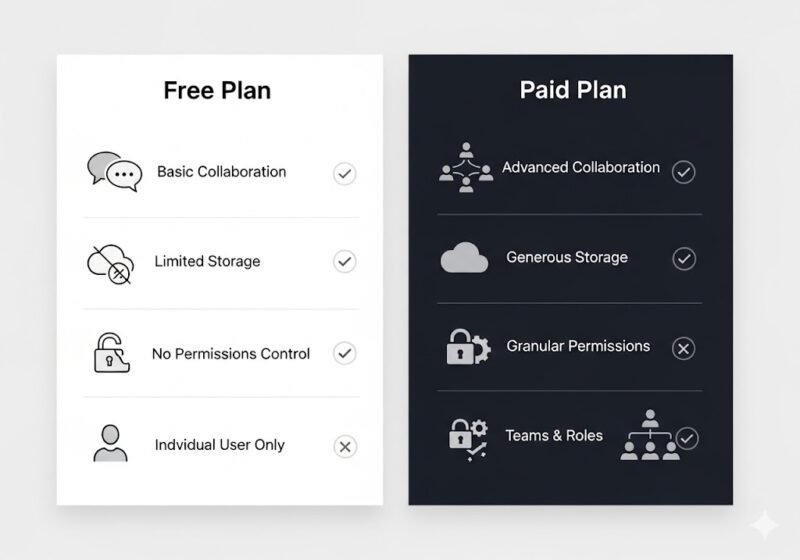
| Feature | Free | Plus | Business | Enterprise |
|---|---|---|---|---|
| Pages & Blocks | ✔️ | ✔️ | ✔️ | ✔️ |
| File Upload Limits | Limited | Higher | Higher | Custom |
| Collaboration | Basic | Improved | Advanced | Enterprise-grade |
| Permissions | ❌ | ❌ | ✔️ | ✔️ |
| Admin Controls | ❌ | ❌ | ✔️ | ✔️ |
| Security & Compliance | Basic | Basic | Strong | Advanced |
Which Notion Plan Is Best for You?
Choose Free if:
You’re an individual user
You need notes, tasks, and light organization
Choose Plus if:
You collaborate with a small team
You want better version history and uploads
Choose Business if:
You manage projects, teams, or documentation at scale
You need permissions and admin controls
Choose Enterprise if:
Security, compliance, and scale are non-negotiable
Is Notion Worth Paying For?
Yes—if you actually use it.
Notion delivers the most value when:
You replace multiple tools with one platform
Your workflows rely on databases and collaboration
You invest time in setup and templates
If you only need simple to-do lists, the Free plan may be enough. But for teams, paid plans quickly justify their cost.
FAQs About Notion Pricing
Does Notion have a free plan for teams?
Yes, but it’s limited. Small teams usually need Plus or Business.
Can I upgrade or downgrade later?
Yes, you can change plans anytime based on your needs.
Is Notion cheaper than alternatives?
In many cases, yes—especially if it replaces multiple tools like docs, wikis, and task managers.
Final Verdict
Notion’s pricing is flexible and scales well from individuals to enterprises. Start with Free, upgrade to Plus if you collaborate, and move to Business when Notion becomes mission-critical for your team.
Next, you may want to compare options in Best Notion Alternatives for Business & Productivity or learn setup basics in How to Use Notion for Business (Step-by-Step Guide).