


Have you ever looked at the crisp, vibrant photos your Google Pixel takes and wished your computer’s webcam could do the same? You aren’t alone. Standard laptop cameras often leave us looking grainy or washed out during important meetings. The good news is that while there isn’t a single “Install” button for a google desktop camera app, there are several clever ways to bring that Google magic to your desktop.
Whether you are trying to install google camera on windows pc or looking for a way to get that professional look on your Apple device, this guide will walk you through the process step-by-step.
Is There an Official Google Camera App for Windows 10 & 11?
Technically, Google designs the “Google Camera” (GCam) specifically for Android hardware. However, because so many users want the google camera app for windows 10 and windows 11, several workarounds have emerged.
Currently, you can access Google’s camera technology on your PC through:
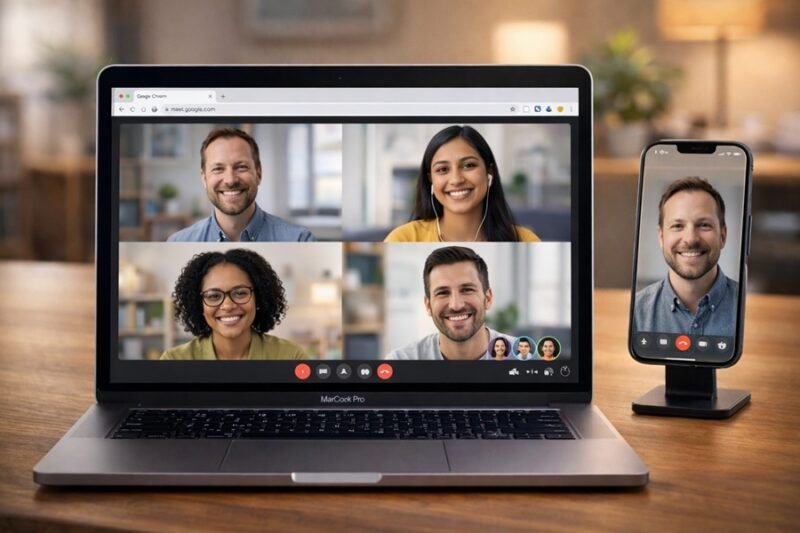
Google Meet’s Progressive Web App (PWA): This gives you a dedicated “app” feel with Google’s built-in AI background blur and light adjustments.
Android Emulators: To run the actual mobile GCam app on your laptop.
Chrome OS Integration: If you use a Chromebook, it’s already built-in!
How to Get the Google Desktop Camera App Download Experience
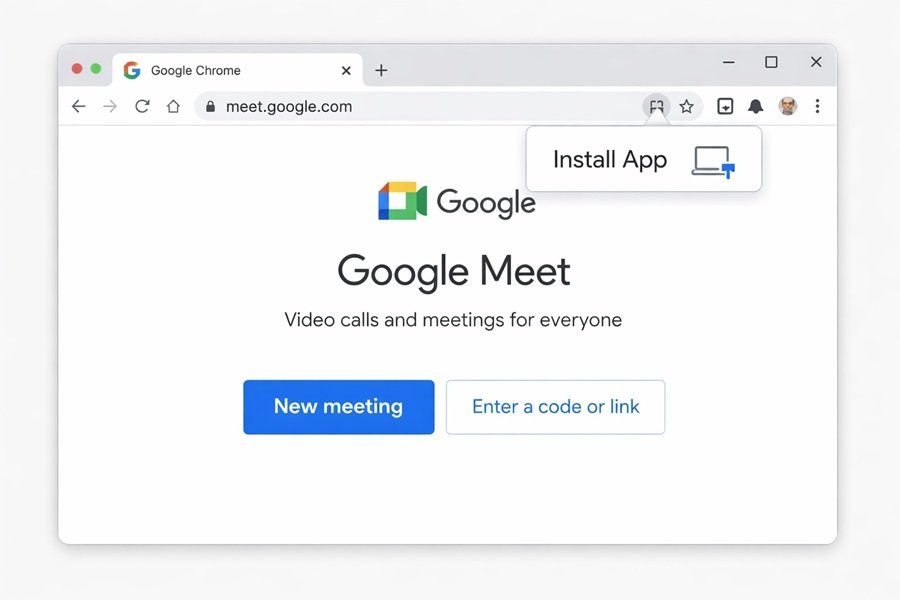
If you want a dedicated icon on your taskbar, follow these steps using Google Chrome:
Open your Chrome browser and go to meet.google.com.
Look at the right side of the address bar for a small “computer with an arrow” icon.
Click Install when prompted to “Install app.“
Now, you have a google camera app for laptop use that launches in its own window without all the browser tabs.
How to Use Google Camera on PC (Windows Guide)
If you are looking for more than just a video calling tool and want the actual photography features, you’ll need an emulator like BlueStacks or the Windows Subsystem for Android (WSA).
Steps to Install Google Camera on Windows PC:
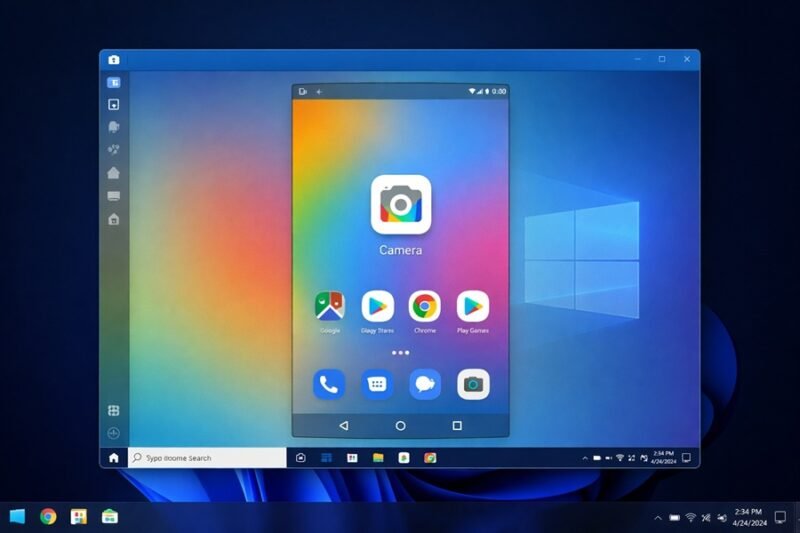
Download an Emulator: Install a trusted Android emulator.
Sign in to Google Play: Just as you would on a phone.
Search for Google Camera: Note that the official app may show as “incompatible,” but you can often find “GCam Ports” designed for wider hardware compatibility.
Connect Your Webcam: Ensure the emulator has permission to access your laptop’s integrated camera.
Setting Up the Google Camera App for Mac & MacBook
Apple users often seek a google camera app for mac to improve their video quality for work-from-home setups. While macOS is a closed ecosystem, you can still achieve the Google look.
Using Google Camera for Mac OS via Web Apps
Since there isn’t a direct .dmg file for a Google Camera app, the best way to use google camera on mac is through the Google Chrome ecosystem:
Google Lens & Photos: You can use the desktop versions to edit photos with Google’s AI.
Google Meet Enhancements: MacBooks with Apple Silicon (M1/M2/M3) handle the Google Meet web app’s “Studio Look” features incredibly well, providing that high-end Google processing.
Pro Tip: For the ultimate google camera app for macbook experience, use the “Continuity Camera” feature on your Mac to use your iPhone as the webcam while running Google services in Chrome. It’s the closest you’ll get to Pixel-quality video on a desktop!
Quick Comparison: Windows vs. Mac Setup
| Feature | Windows 10/11 | Mac / MacBook |
| Official App | Web-based (PWA) | Web-based (PWA) |
| Ease of Use | High (via Chrome) | High (via Chrome) |
| Advanced Features | High (via Emulators) | Medium (via Browser) |
| Performance | Excellent on Win 11 | Best on Apple Silicon |
Troubleshooting & Tips for Better Quality
If you’ve managed your google desktop camera app download and things still look blurry, try these quick fixes:
Check Lighting: Google’s software works best when it can identify your face clearly. Sit facing a window.
Update Chrome: Since most Google camera tech on desktop lives in the browser, keep it updated to the latest version.
Permissions: Always ensure your Privacy Settings (in both Windows and macOS) allow “Desktop Apps” to access your microphone and camera.
Conclusion
Finding a google desktop camera app might require a few more steps than a standard download, but the results are worth it. By using the Google Meet PWA or an Android emulator, you can bring world-class image processing to your daily video calls and photos.
Ready to level up your video quality? Try installing the Google Meet PWA today and see the difference Google’s AI can make!
Frequently Asked Questions
1. Is the Google Camera app free for PC? Yes, all official Google-related camera tools and web apps are free to use. If a site asks you to pay for a “Google Camera for Windows” download, it is likely a scam.
2. Can I use Google Camera features on Zoom or Teams? Directly, no. However, if you use a “Virtual Camera” tool like OBS, you can route your Google-processed video into other meeting software.
3. Why is the Google Camera app not in the Microsoft Store? Google primarily develops the Camera app for its own Android hardware (Pixel). They prefer users to use their web-based services on desktop platforms.
4. Does the Google camera app for macbook support 4K? This depends on your physical webcam. If your Mac has a 1080p or 4K camera, Google’s web apps will support the highest resolution available to your hardware.