



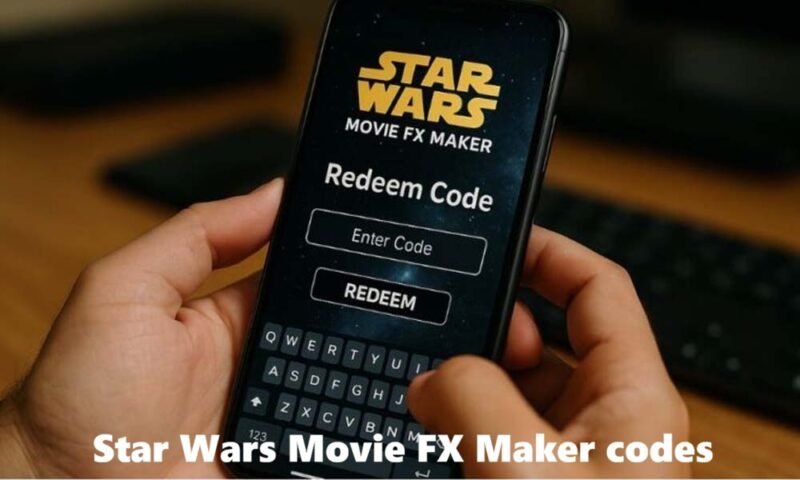
If you’re a Star Wars fan — or the parent of one — chances are you’ve come across the term Star Wars Movie FX Maker codes while searching for ways to bring the galaxy far, far away to life on your smartphone.
The Star Wars Movie FX Maker is a mobile app that lets users scan special QR codes (often found on Star Wars toys and packaging) to unlock digital visual effects like lightsabers, blasters, and character animations. Once unlocked, you can record short videos featuring these effects, turning your living room into a Jedi training ground or Sith showdown.
This guide covers everything you need to know — from how the QR codes work, to using the Studio FX app, troubleshooting common problems, and getting the most creative results.
What Are Star Wars Movie FX Maker Codes?
Star Wars Movie FX Maker codes are unique identifiers — primarily in the form of QR codes — that unlock special digital content inside the Movie FX Maker app. These codes are typically bundled with official Star Wars toys, action figures, and merchandise from brands like Hasbro.
When you scan one of these codes using the app’s built-in QR scanner, you gain access to:
- Exclusive visual effects like lightsaber glow animations, blaster shots, and Force-related overlays
- Character-specific content tied to the toy you purchased (e.g., scanning a Darth Vader figure’s code unlocks his iconic effects)
- Sound effects and audio overlays that match the Star Wars universe
- Augmented reality-style elements that blend with your camera feed in real time
Think of these codes as digital keys — each one unlocks a specific piece of the Star Wars world inside the app.
How Do Star Wars Movie FX QR Codes Work?

The process behind Star Wars Movie FX QR codes is straightforward, even for younger users. The app uses your phone’s camera to read encoded data from a QR image, then matches that code to a specific set of effects stored on the app’s server.
Step-by-Step: How to Scan a QR Code in the App
- Open the Movie FX Maker app on your smartphone or tablet.
- Tap the QR scan icon (usually visible on the home screen or effects section).
- Hold your camera over the QR code found on your Star Wars toy’s box, card, or packaging.
- Wait for the app to recognize the code — it usually takes just 1–3 seconds.
- New effects will unlock automatically and appear in your effects library.
- Start recording your video with the newly added effect!
Each QR code is tied to a specific product. This means the Stormtrooper’s code gives you different effects than, say, a Yoda or Kylo Ren figure. This encourages fans to collect more toys to expand their effects library.
How to Use the Studio FX App
The Studio FX app (also known as the FX Studio app) is the platform that powers the entire Movie FX Maker experience. Here’s how to get started from scratch:
Downloading the App
- Search for “Star Wars Movie FX Maker” or “Studio FX” in the Apple App Store or Google Play Store.
- The app is free to download. Some effects are available by default; others require QR code unlocking.
Account Setup
- On first launch, you may be asked to create a basic profile or agree to the terms of service.
- Parental consent prompts may appear for users under 13, which is standard for apps targeting younger audiences.
Scanning QR Codes
- Use the in-app scanner rather than your phone’s native camera — the app’s scanner is calibrated to recognize Movie FX codes specifically.
Creating and Sharing Videos
- After selecting an effect, frame your shot and press record.
- The app lets you trim, preview, and add audio to your clip.
- Finished videos can be saved to your phone’s gallery or shared directly to social media platforms.
Features of the FX Studio App
The FX special effects app packs a surprising number of creative tools into a mobile-friendly interface. Here’s a breakdown of the main features:
Lightsaber Effects
The most iconic Star Wars visual — the lightsaber — gets detailed treatment in the app. You can overlay glowing blue, red, green, or purple lightsaber animations onto your video, sync them to on-screen movement, and even create duel sequences.
Blaster Effects
Fire blaster bolts, TIE Fighter shots, or classic Star Wars energy beams across your video. These effects can be triggered to move across the frame for a more cinematic feel.
Character Animations
Some QR codes unlock character overlays or animated portraits — think Darth Vader’s helmet appearing on screen, or R2-D2 rolling into frame. These animations add personality to your short clips.
Sound Effects
The app includes iconic Star Wars audio — lightsaber hums, blaster sounds, the Force theme, and character voice clips. These sync automatically with on-screen effects for a polished result.
Video Editing Tools
Basic trimming, speed control, and scene preview features are available within the app. While it’s not a full video editor, it’s more than enough for quick, shareable content.
Augmented Reality Features
Certain effects use the phone’s camera to place digital objects in real-world environments. Hold the phone up and watch a lightsaber “appear” next to a real Star Wars figure — it’s a simple but effective augmented reality touch.
Benefits of Using an FX Special Effects App
Whether you’re a kid building your first video or a collector sharing content online, the FX special effects app offers real value:
- Sparks creativity — kids learn to frame shots, choose effects, and tell short visual stories
- Introduces basic video editing — a gentle on-ramp to video production concepts
- Family entertainment — parents and children can collaborate on movie-style clips
- Social media content — short, visually engaging clips perform well on platforms like YouTube, Instagram Reels, and TikTok
- Deep fan engagement — for Star Wars enthusiasts, the app extends the value of toys beyond the shelf
Common Problems When Using Star Wars Movie FX Maker Codes
Even with a well-designed app, users sometimes hit roadblocks. Here are the most frequently reported issues and how to fix them:
QR Code Not Scanning
- Make sure your QR code isn’t bent, creased, or faded.
- Clean your phone camera lens.
- Ensure you have enough light — dark rooms cause scanning failures.
- Try holding the phone 15–20 cm from the code for optimal focus.
Missing Effects
- Some effects require a valid internet connection to load from the server.
- Ensure your app is updated to the latest version.
- Log out and back into your account to refresh your unlocked content.
App Compatibility Issues
- Older Android or iOS versions may not support the latest app build.
- Check the app’s listing in the Play Store or App Store for minimum OS requirements.
Camera Permission Problems
- The app needs camera access to scan QR codes and record video.
- Go to Settings → Apps → Movie FX Maker → Permissions and enable Camera and Microphone.
Expired or Unsupported Content
- Some QR codes tied to older product lines may no longer unlock content if the associated server support has ended.
- Contact the toy manufacturer or app support for confirmation on specific codes.
Best Tips to Get the Most Out of the Studio FX App
Getting great results with the Studio FX app comes down to a few simple habits:
- Good lighting matters most — natural daylight or a well-lit room makes effects look more realistic and vibrant.
- Keep the camera stable — use a tripod, phone stand, or rest your elbow on a flat surface to avoid shaky footage.
- Tell a mini story — instead of just triggering one effect, think about a setup and a payoff. Who’s the hero? Who’s the villain? Even a 10-second clip feels more satisfying with a narrative.
- Layer multiple effects — combine lightsaber overlays with sound effects and a blaster shot in the background for a richer scene.
- Experiment with angles — overhead shots, close-ups on toys, or wide shots of a room all change the feel of the video.
Star Wars Movie FX Maker Codes vs Modern Special Effects Apps
How does the original Movie FX Maker experience compare to newer tools on the market?
| Feature | Star Wars Movie FX Maker | Modern FX Apps |
|---|---|---|
| Ease of Use | Very beginner-friendly | Varies; some require learning curve |
| Effects Library | Star Wars-specific, QR-unlocked | Broad but generic |
| Editing Tools | Basic trim and preview | Advanced multi-track editing |
| Device Compatibility | Optimized for mid-range phones | Often requires newer hardware |
| Fan Appeal | High for Star Wars fans | Neutral or theme-agnostic |
| Cost | Free with toy QR codes | Often freemium or subscription |
| AR Integration | Basic AR overlays | Advanced real-time AR |
| Content Updates | Limited (legacy product) | Regular updates |
The Movie FX Maker wins on fan-specific appeal and simplicity. Modern apps win on versatility and editing power. For a young Star Wars fan, the Movie FX Maker experience is hard to beat.
Are Star Wars Movie FX Maker Codes Still Relevant Today?
Yes — though with some nuance.
The app and its QR codes occupy a unique space in 2024: they’re no longer actively marketed, but they haven’t completely disappeared either. Here’s why they still matter:
- Nostalgia value — older fans who grew up with the app feel a genuine connection to the experience.
- Collectible toys still circulate — original Hasbro figures with QR codes appear on resale platforms and in collections worldwide.
- Community interest — online Star Wars communities share working codes, discuss compatibility, and help each other troubleshoot.
- Gateway to video creation — even if the technology feels dated, it still introduces children to video effects in a safe, branded environment.
If you have the toys and the codes, it’s absolutely worth exploring. If you’re starting fresh, modern alternatives may offer more consistent functionality.
Alternatives to the FX Studio App
If you’re looking for a broader video effects experience beyond the Star Wars universe, several categories of apps serve similar purposes:
- Mobile video editors — apps that provide trimming, filters, transitions, and music layering for short-form content
- AR effect apps — platforms with real-time augmented reality overlays for selfie videos and scene recording
- Visual effects apps — tools designed specifically for adding cinematic effects, explosions, and overlays to mobile-shot clips
- Content creator tools — all-in-one apps designed for social media video creation with built-in templates and effect packs
We recommend exploring app stores and community reviews to find tools that match your specific device, skill level, and creative goals.
Final Thoughts
Star Wars Movie FX Maker codes were — and in many ways still are — a brilliant bridge between physical toys and digital creativity. By scanning a QR code from your favorite figure’s packaging, you unlock a mini movie-making experience that feels personal, fun, and genuinely Star Wars.
The Studio FX app makes the whole process beginner-friendly enough for kids but satisfying enough for adult fans. If you run into issues, the troubleshooting steps above should help you get back on track quickly.
Whether you’re building a mini Jedi duel, recording a toy stop-motion battle, or just exploring what the FX special effects app can do, this is one corner of the Star Wars fandom that rewards creativity and imagination equally.
May the Force — and your phone’s camera — be with you.
Frequently Asked Questions (FAQs)
1. What are Star Wars Movie FX Maker codes?
They are unique codes (primarily QR codes) bundled with Star Wars toys that unlock special digital effects inside the Movie FX Maker app, including lightsabers, blasters, and character animations.
2. How do Star Wars Movie FX QR codes work?
You open the Movie FX Maker app, use its built-in scanner to read the QR code from your toy’s packaging, and the app automatically unlocks the associated visual effects for use in your videos.
3. Is the Studio FX app free?
Yes, the base app is free to download. Most effects are unlocked via QR codes that come with official Star Wars merchandise, making the toy itself the “key” to premium content.
4. Can I still use Movie FX Maker today?
Many users still access the app and scan codes successfully. However, some older QR codes tied to discontinued product lines may no longer load effects if server support has ended.
5. Why won’t my QR code scan?
Common causes include a damaged or faded code, poor lighting, a dirty camera lens, or an outdated app version. Try cleaning the lens, improving lighting, and updating the app first.
6. What devices support the FX Studio app?
The app has been available for both iOS (iPhone/iPad) and Android devices. Compatibility may vary depending on your operating system version — check the App Store or Google Play listing for current requirements.
7. Are there alternative FX special effects apps?
Yes. Several mobile video editing and AR apps offer similar visual effects capabilities, though they aren’t Star Wars-branded. Search your device’s app store for “video effects,” “AR video,” or “special effects camera” for options.
8. How do I unlock more effects?
Purchase official Star Wars toys or merchandise that include QR codes. Scan each code in the app to add new effects to your library. Some base effects may also be unlocked through in-app events or updates.
9. Can I create videos without QR codes?
Yes. The app typically includes a set of default effects available without scanning any code. QR codes expand your library but aren’t strictly required to start creating.
10. Is the app suitable for children?
Yes. The Movie FX Maker app is designed with younger audiences in mind. It has a simple interface, Star Wars-themed content, and parental consent prompts built in for users under 13. Parental supervision is always recommended for children using any mobile app.
This article is written for informational purposes. App availability and QR code functionality may vary based on region and product version.