



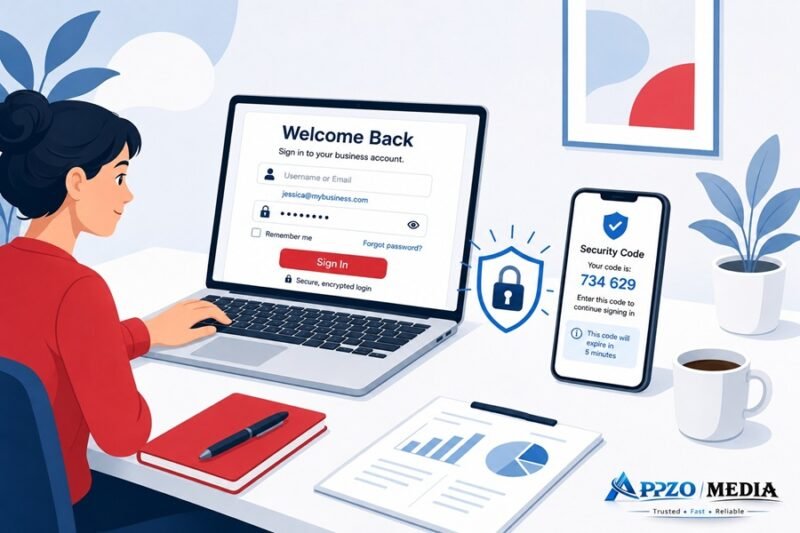
Typing “santander business login” into Google usually means one thing: you need to get into your account, and something between you and your balance isn’t cooperating. Maybe it’s a forgotten password. Maybe it’s an error code that means nothing to you. Maybe you’re just not sure which login page is even yours, since Santander runs more than one.
This guide sorts all of that out. It covers both the UK and US business banking platforms, walks through the login process step by step, and spends real time on the problems that actually trip people up, not just the happy path where everything works first try.
One thing worth saying upfront: this is an independent guide, not an official Santander page. Type the bank’s web address into your browser yourself rather than clicking a link from an email or text, even one that looks like it came from this article. That habit alone stops most phishing attempts cold.
A note on how this guide was put together. The login URLs, platform names, and step order below are drawn from Santander’s own public help pages and app store listings for each service, cross-checked against UK Finance’s Take Five to Stop Fraud campaign (which Santander is a listed supporter of) for the security advice. Where Santander doesn’t publish specifics, such as exact error code meanings or how long a session stays active before timing out, this guide says so plainly rather than guessing. If you spot something that’s changed since publication, banks update their login flows often, so treat the official app or website as the final word over any third-party guide, including this one.
Where to Actually Log In
Santander doesn’t use one login page for every business customer. Which one is yours depends on your account type and which country you bank in.
| Account Type | Region | Login URL | Best For |
|---|---|---|---|
| Business Banking | UK | business.santander.co.uk | Sole traders, small companies (up to 2 directors) |
| Santander Connect | UK | corporate.santander.co.uk | Larger businesses, multiple signatories |
| Business Online Banking | US | bob.santanderbank.com | US-based business accounts |
| CIB Portal | Global | login.santandercib.com | Large corporate and institutional clients |
If you run a small business in the UK, most likely a sole trader setup or a small limited company with one or two directors, you’ll use business.santander.co.uk. This is the standard portal and the one most readers landing on this article will need.
Larger UK businesses, especially those with a relationship manager or more than two owners, typically sit on Santander Connect instead, at corporate.santander.co.uk. Connect is built for multi-user access and more involved account management, so if your banking setup involves several people with different permissions, this is probably your platform rather than the simpler Business Banking one.
If your account is with Santander Bank, N.A. in the US, you’ll log in at bob.santanderbank.com. And if your business banks through Santander’s Corporate & Investment Banking division, a separate arm serving large corporations and institutional clients, your login lives at login.santandercib.com. (For reference, Santander Bank, N.A. is FDIC-insured and regulated by the Office of the Comptroller of the Currency, which you can independently verify through the FDIC’s BankFind tool if you ever want to confirm you’re dealing with a legitimate, regulated institution.)
Not sure which of these applies to you? Keep reading. The next section untangles it.
Business Banking vs. Connect: the trade-off in plain terms. Business Banking is simpler to set up and navigate, which suits a sole trader or two-director company that just needs to move money and check balances, but it isn’t built for multiple people with different permission levels. Connect handles that multi-user complexity well, letting an owner grant a bookkeeper view-only access while keeping payment approval limited to directors, but that extra structure means more setup steps and, often, more back-and-forth with a relationship manager before it’s fully configured. Businesses that outgrow Business Banking usually notice it first when they need to add a second or third person who shouldn’t have full account access.
Which Login Is Actually Yours
This is where a surprising number of business owners get stuck, not because logging in is hard, but because they’re on the wrong page entirely.
Santander UK plc and Santander Bank, N.A. in the US aren’t the same company. Neither is connected to Banco Santander in Spain. They’re separate legal entities, each regulated in its own country, and none of them share login credentials. Open an account in Manchester, and the US login page will have no idea who you are. It’s not a bug. It’s just how the corporate structure works.
Here’s a quicker way to figure out where you belong:
- Small UK business, sole trader, or partnership with one or two owners: Business Banking
- Larger UK business set up through a relationship manager: Santander Connect
- US-based account: Business Online Banking
- Large corporate client with a dedicated CIB relationship: the CIB portal
Still unsure? Check the footer of an old bank statement or a welcome email from when you first opened the account. It usually names the specific service. Or skip the guesswork and call the relevant helpdesk (numbers further down), who can tell you in under a minute.
A common mistake worth flagging: searching “Santander business login” and clicking whichever result loads fastest, without checking which of the four platforms it actually points to. A director who banks through Connect but lands on the standard Business Banking login page won’t just fail to log in, they may waste a support call before anyone realizes the mismatch. It costs nothing to check the platform name against your welcome documents before you start troubleshooting anything else.
How to Log In, Step by Step
Once you’re on the right page, logging in itself is fairly quick. You’ll need three things: your ID number (a separate customer identifier, not your account number), your password, and your security number, which Santander asks for a few digits from rather than the whole thing.
On Desktop
- Head to the correct login page for your account type.
- Enter your ID number.
- Enter your password.
- When prompted, enter the requested digits from your security number. You might see something like “please enter the 2nd and 5th digits” rather than a request for the full sequence.
- If two-factor authentication is switched on, Santander texts you a One Time Passcode. Enter it and you’re through.
After that first login, the site remembers your device, so return visits are usually just your ID and password without the extra steps.
On the Mobile App
The app works a little differently, and honestly, most business owners end up preferring it once it’s set up.
- Download the Santander Business Banking app from the App Store or Google Play only. Skip any third-party download links, especially ones sent by text.
- Log in the first time using your existing online banking ID and password.
- Santander sends a One Time Passcode by text to confirm it’s really you.
- Enter the code, and the app registers your device.
- You’ll be asked whether you want Face ID or fingerprint login. Say yes if your phone supports it, since typing a password every time you check your balance gets old fast.
From there, logging in is a face scan or a fingerprint tap.
Take a bakery owner in Leeds who’s had an online banking account for two years but never bothered with the app. She’d install it, log in once using her existing web credentials, verify with the text code, and that’s it. From then on she’s tapping her fingerprint between batches to check the day’s card takings. No fresh registration required, just that one bridge step.
Desktop or app: which one fits how you actually work? The desktop site tends to be better for anything involved, reconciling a month of transactions, setting up a batch of supplier payments, or exporting statements for a bookkeeper, simply because you’re working with a full keyboard and a bigger screen. The app wins for speed: checking a balance between customers, confirming a payment landed, approving a transfer on the move. Neither replaces the other completely, and most business owners end up using both depending on where they are and what they’re doing. One limitation worth knowing: not every feature available on desktop has an app equivalent, so if something you need seems to be missing from the app, it’s worth checking the desktop site before assuming it isn’t possible at all.
First Time Logging In? Register First
If you’ve just opened a Santander business account, you can’t jump straight to the login page. You need to register.
- Find the registration link on the business banking page, not the login page itself.
- Have your account number, sort code, and mobile phone within reach.
- Follow the prompts to set your ID number, password, and security number.
- Santander texts a confirmation code to your registered mobile.
- Once verified, you’re in, and this login screen becomes the one you’ll see from now on.
No mobile phone linked to the account? You can still register, though certain transaction types will require a phone call or a branch visit until you add one.
Common Login Problems and How to Fix Them
Most login trouble falls into one of five buckets: a forgotten password or ID, a One Time Passcode that never shows up, a locked account, a confusing error code, or personal and business accounts tangled under one login. Here’s the quick version before we get into each one properly.
| Problem | Likely Cause | Fix |
|---|---|---|
| Forgotten ID or password | Credentials not saved or remembered | Use “Forgotten your details” reset flow |
| OTP not arriving | Wrong number on file, signal issue, delay | Confirm mobile number, retry after a minute, call helpdesk if it persists |
| Account locked | Several failed login attempts | Reset credentials or call helpdesk to unlock |
| Error code shown | Varies, check the exact code | Note the exact code, contact support rather than repeated retries |
| Personal/business account confusion | Shared login ID across account types | Call helpdesk to check account linking |
Forgotten Your ID or Password
Click “Forgotten your details” on the login page. You’ll confirm your identity using your account number and a few personal details, then reset your password on the spot. Lost the ID number too? The same recovery flow usually retrieves it, or the helpdesk can confirm it by phone once they’ve verified you.
One Time Passcode Never Shows Up
More common than it should be. Start with the obvious checks: is your phone actually getting signal, is it stuck in airplane mode. Then confirm the mobile number on file is the one you’re currently using, since people switch phones and forget to update the bank more often than you’d expect. If the number’s right and the text still isn’t landing, wait a minute and request it again, occasionally the first one just gets delayed. Still nothing? Call the helpdesk rather than hammering the retry button. And never, under any circumstance, share your OTP with someone who calls claiming to be from Santander. The bank will never ask for it that way.
Account Locked
A run of failed login attempts will lock you out, a security measure rather than anything personal. There’s no waiting it out either. You’ll need to go through the reset process or call the helpdesk directly, and have your account details ready since they’ll verify you before touching anything.
This is where rushing tends to backfire. Picture a small business owner trying to clear a supplier payment before a Friday deadline, typing a half-remembered password twice, guessing a third time under pressure, and locking the account entirely, right when access matters most. Once locked, retrying faster doesn’t help and can extend the delay. The quicker path is almost always to stop after one or two failed attempts and go straight to “Forgotten your details” or the helpdesk, rather than treating it as a race against the clock.
Seeing an Error Code
Error codes on the login screen point to something specific rather than being random noise, though the exact meaning varies by code and Santander doesn’t publish a public glossary for all of them. If you hit one you don’t recognize, resist the urge to keep retrying blindly since repeated failures can trigger a lock. Write down the exact code and call support instead. It’s faster than guessing, and they can tell you straightaway what it means for your account.
Personal and Business Accounts Are Tangled Together
Some Santander customers end up with one shared login ID covering both their personal and business accounts, which works fine until you actually need to separate them. If logging in only shows your personal accounts, or the app won’t let you set up business access because the ID’s already claimed, this is a known friction point rather than something you’re doing wrong. Call the business helpdesk and ask them to check how the two are linked. Untangling it sometimes needs a manual fix on their side.
Wondering If Santander Is Down
Before blaming your device, check the bank’s official service status page. A known outage there means there’s nothing to fix on your end, just a wait, and it’s usually sorted within a few hours.
Spotting a Fake Login Page
Bank login pages get spoofed constantly, so a couple of habits go a long way.
Check the web address before typing anything. It should read santander.co.uk or santanderbank.com exactly, no extra words tacked on, no subtle misspellings. Look for the padlock icon in your browser bar. Never log in through a link sent by text or email, no matter how legitimate it looks, type the address yourself or use a saved bookmark instead. And if anyone calls or texts asking for your full password or a One Time Passcode, that’s your cue to hang up and call the bank back using the number on your card or statement.
When in doubt, close the tab and start fresh by typing the address in yourself. It takes ten extra seconds and it’s the single best habit for avoiding a scam.
These habits aren’t specific to Santander. They line up with the advice in Take Five to Stop Fraud, the UK Finance-led campaign that Santander and most other major UK banks support: stop before acting on an unexpected request, challenge anything that pressures you to move fast, and protect yourself by verifying independently rather than trusting the contact details in the message itself. If you want to confirm you’re dealing with the real bank rather than an imitation, the Financial Services Register run by the UK’s Financial Conduct Authority lets you check that a firm is genuinely authorized, and it’s free to search.
Where This Guide Falls Short
No third-party guide can promise to stay perfectly current with a bank’s login screens, since interfaces get redesigned and security steps get added or dropped without much public notice. A few specific gaps worth knowing about:
- Error codes aren’t fully documented. Santander doesn’t publish a public glossary mapping every code to a plain-English cause, on either the UK or US platforms. Where this guide can’t tell you what a code means, it says so rather than inventing an explanation.
- Session timeout length isn’t published. You will get logged out after a period of inactivity, but the exact number of minutes isn’t stated anywhere public, so this guide doesn’t quote one.
- Screens and steps change. The number of digits requested from your security number, the exact wording of prompts, and even which platform a given account type sits on can shift after a redesign. If a step here doesn’t match what you’re seeing, the on-screen instructions take priority.
For anything account-specific, dollar or pound amounts, transaction disputes, or business-specific permissions, Santander’s own support pages and helpdesk will always be more accurate than a general guide like this one.
Still Stuck? Who to Call
Which number you need depends on which platform you’re on. For UK Business Banking sign-up or online banking queries, call 0330 123 9860. If you’re on Santander Connect or Connect Plus, the dedicated line is 0333 207 2317, Monday to Friday, 8am to 5:30pm. Both can help with login resets and account access issues, so lead with whichever matches your account type.
If the helpdesk can’t resolve things, Santander’s formal complaints process is the next step, and they’re required to respond within a set timeframe. Should that go nowhere after 8 weeks, or you’re simply not satisfied with the outcome, you can escalate to the Financial Ombudsman Service. It’s free, independent, and exists specifically for situations like this. That said, it’s genuinely a last resort. Most login problems get sorted with a single helpdesk call, long before it gets anywhere near that stage.
FAQs
What is the official Santander business login link for the UK?
Small business accounts use business.santander.co.uk. Santander Connect, for larger businesses, uses corporate.santander.co.uk. Check which service you originally registered for if you’re not sure.
What’s the difference between Santander Business Banking and Santander Connect?
Business Banking suits smaller UK businesses with up to two directors and fairly simple banking needs. Connect is built for larger businesses that need multiple user permissions and more relationship-managed support.
Why does my Santander business login show error code 04?
This code shows up during login on the US platform, but Santander doesn’t publish a public explanation of what it means. Rather than retrying repeatedly, note the exact code and call support, they can look it up against your account and tell you exactly what’s going on.
Can I use my personal Santander login for my business account?
Sometimes Santander links personal and business accounts under a single ID, which can make it hard to see or manage both properly. If your business accounts aren’t showing up after login, the business helpdesk can check how things are linked on their end.
What do I do if I don’t receive my Santander One Time Passcode?
Check your signal and confirm your registered mobile number is current. Try again after a short wait. If it still doesn’t come through, call the helpdesk rather than repeatedly retrying, since too many failed attempts risks locking the account.
How do I reset my Santander business banking password?
Use “Forgotten your details” on the login page and follow the identity checks. You’ll be able to set a new password once you’re verified.
Is Santander business banking down today?
Check the official service status page first. A listed outage usually clears within a few hours, and there’s nothing to fix on your end while you wait.
How do I complain about a Santander login issue?
Go through Santander’s formal complaints process if the helpdesk hasn’t resolved it. Still unhappy after 8 weeks? The Financial Ombudsman Service is the next step.
Is Santander Connect the same as Santander Business Banking?
No. Connect is aimed at larger businesses with more complex needs and typically several signatories. Business Banking is built for smaller operations with one or two owners.
Why do I keep getting logged out of Santander business banking?
That’s almost always a session timeout rather than a fault. Santander logs users out automatically after a period of inactivity as a security measure.
Can I log into Santander business banking from outside the UK?
Yes, though access from abroad is subject to the local laws of wherever you’re logging in from, and some features may not behave exactly the same way.
This guide is independently written to help business owners navigate Santander’s login process and is not affiliated with or endorsed by Santander. For account-specific issues, contact Santander directly through their official website or the phone number on your card or statement.